 BOOTYBOX
01 // ACQUIRE
Add individual files, multiple files, directories, or recursively nested directory trees. The original hierarchy is preserved inside the encrypted archive.
Secured Custom Archive Creator.
Select files, groups of files, directories, or entire directory trees. BootyBox packs the target set into an AES-256 encrypted ZIP, then encrypts the complete archive again with OpenSSL AES-256-CBC using PBKDF2, 20,000 iterations, salt, and Base64 armor.
The encrypted .k2l stage is temporary. BootyBox appends that ciphertext to the default application icon and writes one final PNG carrier. The image still opens normally, while the encrypted archive rides behind the PNG data until BootyBox recovers it with the correct password.
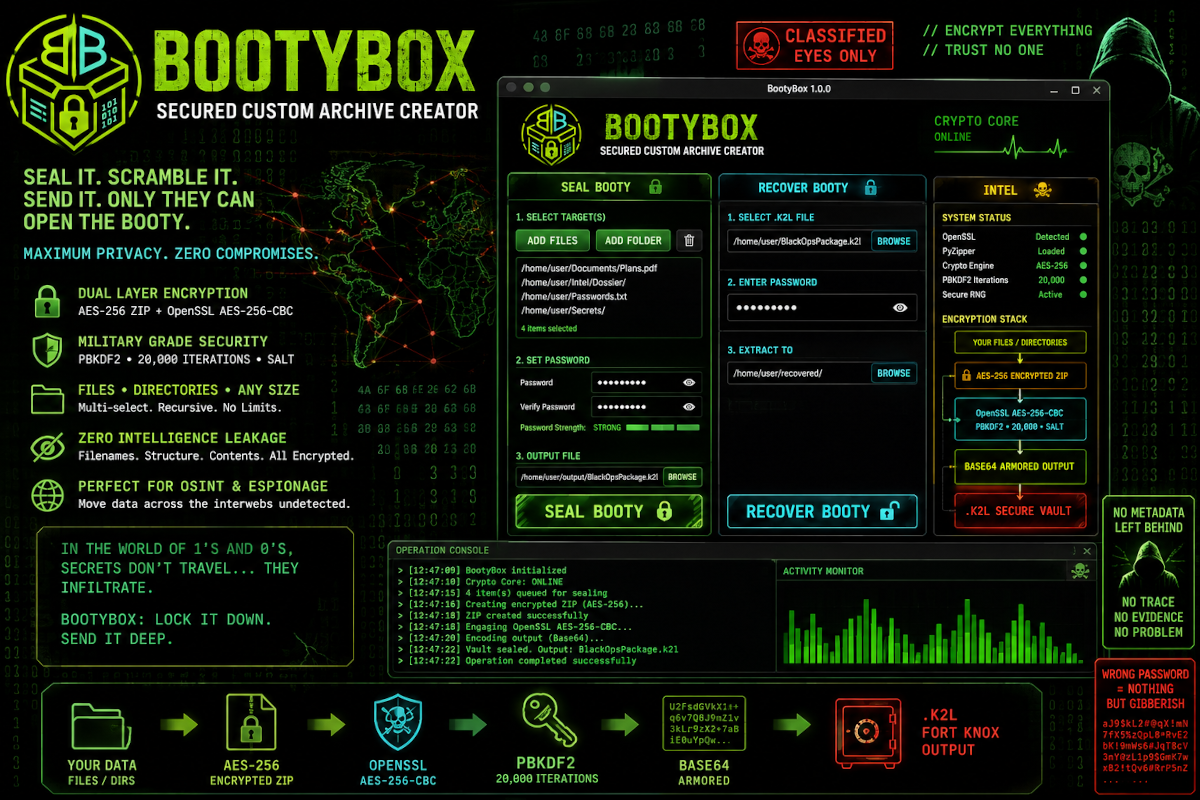
BootyBox is designed around one simple idea: whatever the user selects should become one sealed container that reveals as little as possible from the outside. It is intentionally theatrical in presentation, but the underlying workflow stays straightforward and auditable.
Add individual files, multiple files, directories, or recursively nested directory trees. The original hierarchy is preserved inside the encrypted archive.
The selected payload is written into a WinZip AES-256 encrypted ZIP using the user-supplied password.
The complete encrypted ZIP is passed through OpenSSL as a temporary Base64-armored .k2l payload, then appended to the default BootyBox icon and emitted as one final PNG carrier.
BootyBox does not merely password-protect a ZIP and call it a day. The archive becomes the input to the outer encryption stage, then that encrypted payload is hidden behind a normal PNG image as the only persistent output.
openssl aes-256-cbc -pbkdf2 -iter 20000 -salt -a -e \
-in Payload.zip -out Payload.k2l -pass stdin

cat assets/images/icon.png Payload.k2l > Output/BootyBox_Output.png
After the carrier PNG is created, BootyBox removes the temporary ZIP and temporary .k2l. By default, the final image is written to BootyBox/Output/. The user can choose a different location for that single final PNG.
Read the full BootyBox Security White Paper for a detailed examination of the encryption architecture, AES-256, PBKDF2, password entropy, offline cracking resistance, PNG carrier concealment, AI-assisted attacks, threat models, limitations, and future hardening recommendations.
Inner AES-256 ZIP encryption plus an outer OpenSSL AES-256-CBC wrapper around the entire archive byte stream.
Because the ZIP itself sits underneath the outer cipher, filenames and directory structure are not directly visible from the final container.
The sealing interface requires the password to be entered twice before the archive operation begins.
BootyBox creates one final PNG carrier and can recover directly from that image. Legacy raw .k2l files remain supported for backward compatibility.
The OpenSSL password is supplied through standard input instead of being placed directly on the process command line.
The temporary ZIP and .k2l stages are removed after packaging. The only persistent BootyBox output is the final PNG carrier.
On recovery, BootyBox locates the PNG IEND boundary, extracts the encrypted bytes appended after the image, and feeds that temporary payload back into the normal OpenSSL recovery chain.
New carriers land in BootyBox/Output/ by default, with an in-app button to open the directory immediately or a file picker to place the final PNG elsewhere.
chmod +x launch.sh
./launch.shPySide6>=6.7
pyzipper>=0.3.6A conventional encrypted ZIP still advertises that it is an archive. BootyBox encrypts the entire ZIP into an opaque temporary payload, then places that payload after the end of a normal PNG image. The final artifact presents itself as an ordinary viewable image while BootyBox retains the ability to recover the encrypted bytes behind it.
The outer cipher conceals filenames and archive structure before the encrypted bytes are embedded into the PNG carrier.
The final BootyBox is a single PNG file that can be moved, copied, or stored like any other image while the encrypted payload remains appended behind it.
BootyBox can open the carrier PNG directly, peel the encrypted payload back out internally, decrypt it, and restore the original files and directory structure.
Dark, unapologetically cyber, and built around a single-artifact sealing workflow: acquire the target, encrypt it twice, bury the payload inside the BootyBox PNG, and move one file.